QR table ordering
A QR code that takes the order.
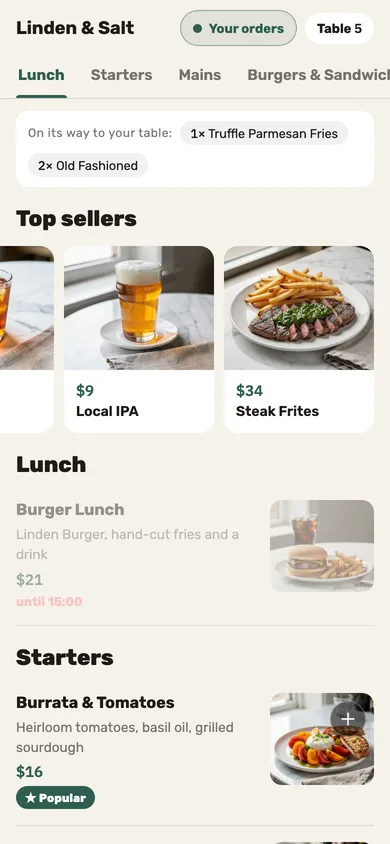
Guests scan, order, add more mid-meal and ask for the check from their seat. No app or sign-up required, with your servers still in control of service.
-
Several phones, one check
A friend who scans the same table joins the same order. “On its way to your table” shows what the table ordered, without saying who.
-
Status that only says what’s known
Received, in the kitchen, on its way, served — each status follows confirmation from the printer or your team, so guests see what is known about their order.
-
A server approves before anything prints — if you want
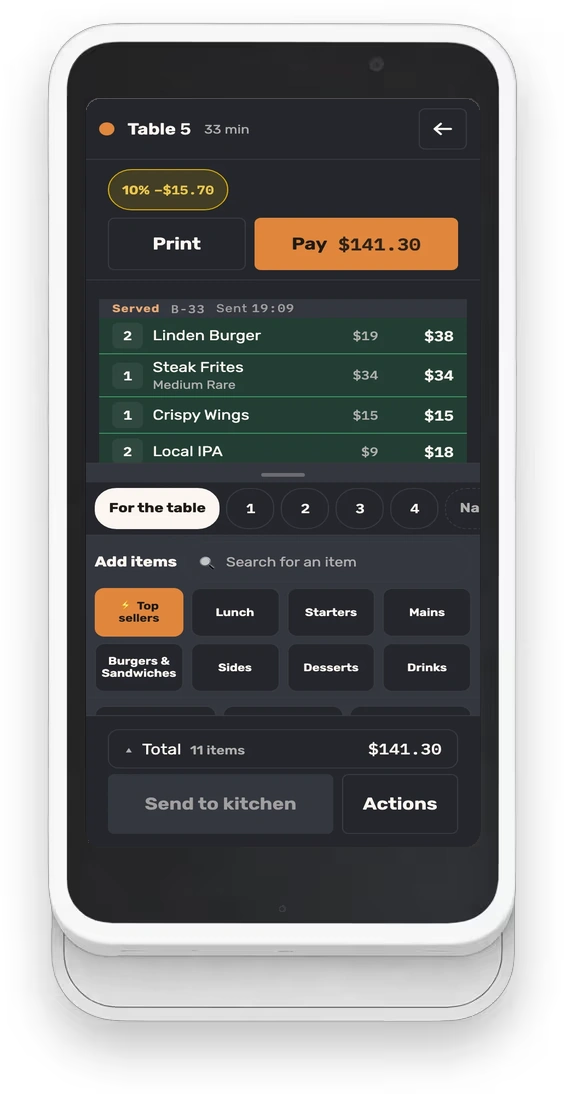
Guest rounds can wait for a server’s approval before they reach the kitchen: “Approve & print,” or “Decline.”
Questions we hear
Do guests need an app?
No. The scan opens a browser with that table’s menu — no install, no account, no text code.
How do guests pay?
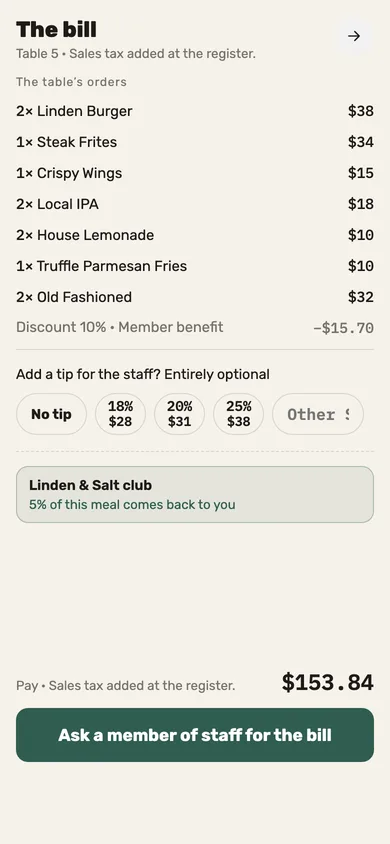
They ask for the check from their phone and add a tip; your server settles it at the table, in cash or on the card machine you already run.
What if a guest prefers a server?
They order through the server, as always. Both paths meet on the same table and the same check.
See Jooule with your own menu.
Explore the register, server app and kitchen display with the dishes you serve.