Kitchen display
One kitchen, split by station.
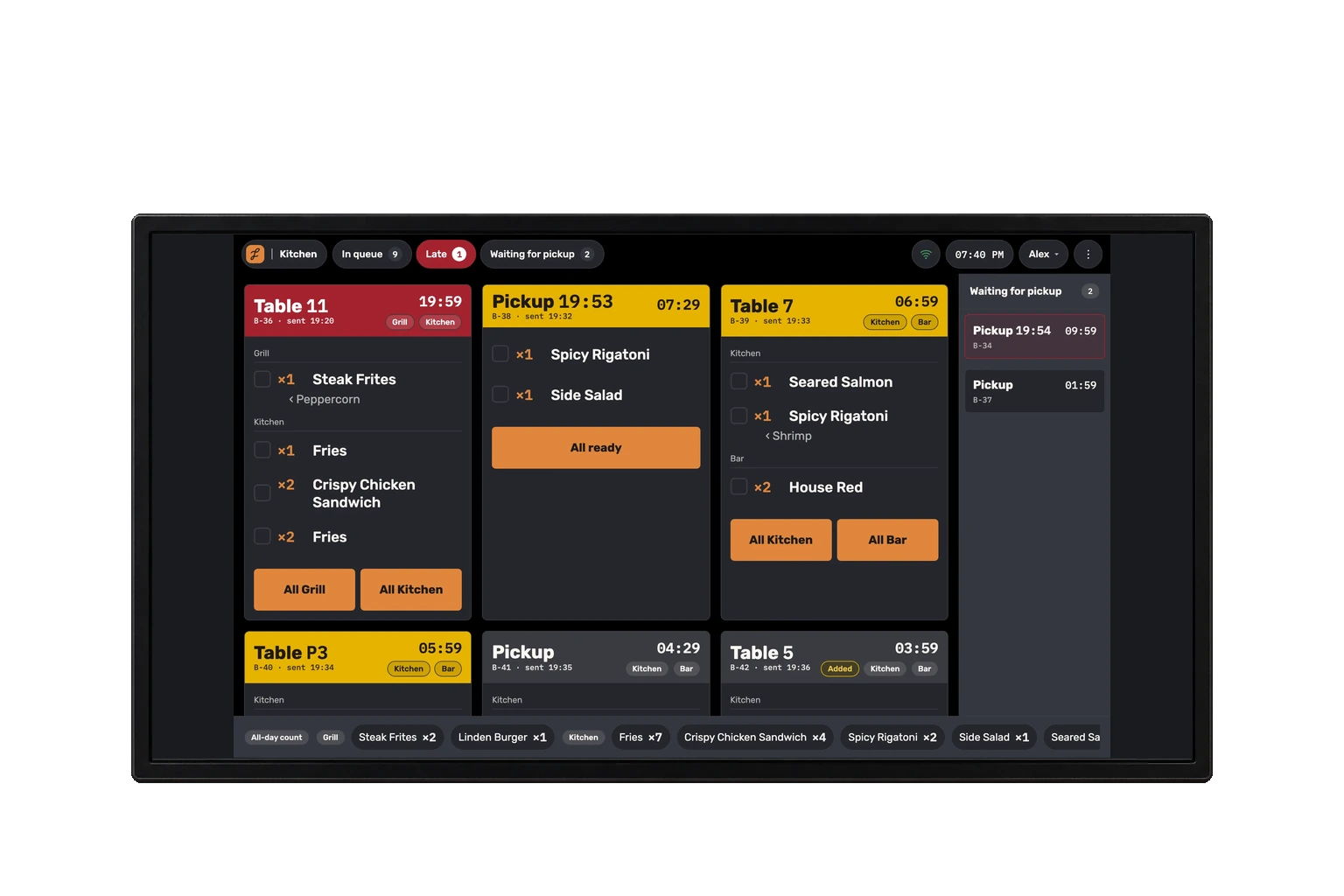
A kitchen screen, printed tickets and a wall screen. Both screens show the same queue, and what runs late rises to the top, judged by the slowest station on the ticket.
-
The printer gets an image, not text
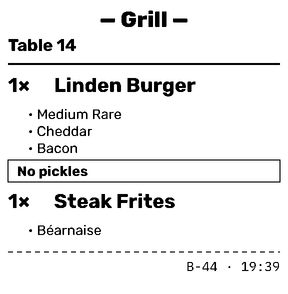
Tickets are sent as images to a compatible 80 or 58 mm thermal printer, connected by network or USB to the register PC. Names and modifiers keep their layout without relying on the printer’s text fonts.
-
Changes arrive marked
A dish changed after sending arrives marked “Changed,” with who changed it and why. Its ticket jumps ahead of late ones and stays there until a cook taps “Got it.”
-
Know when printing needs attention
When printing goes silent, the register, the server app, the kitchen display and the manager screens warn you. The register shows each station’s printer state, with a resend for what got stuck.
- Tickets that didn’t print are retried on a spaced schedule
- When a station prints again, its recent tickets the printer didn’t answer are queued again at once
- A kitchen station can move from paper to the kitchen screen
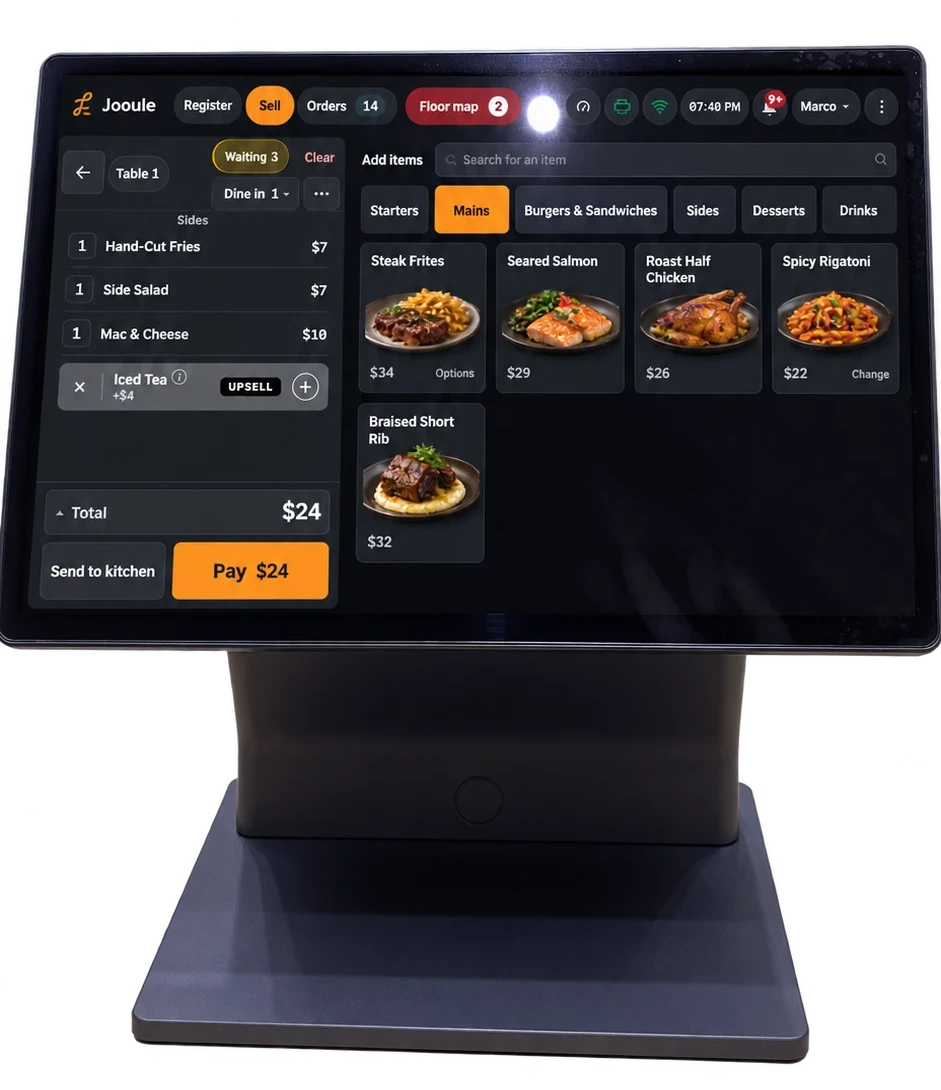
Screen, paper and wall
Mark one dish ready, or complete a station with eight seconds to undo. See totals by station and a “Waiting for pickup” rail with a timer for each order.
A ticket for each station that prints, and if you want, a full order slip at the register. A reprint replaces whatever is still waiting in the queue instead of adding to it.
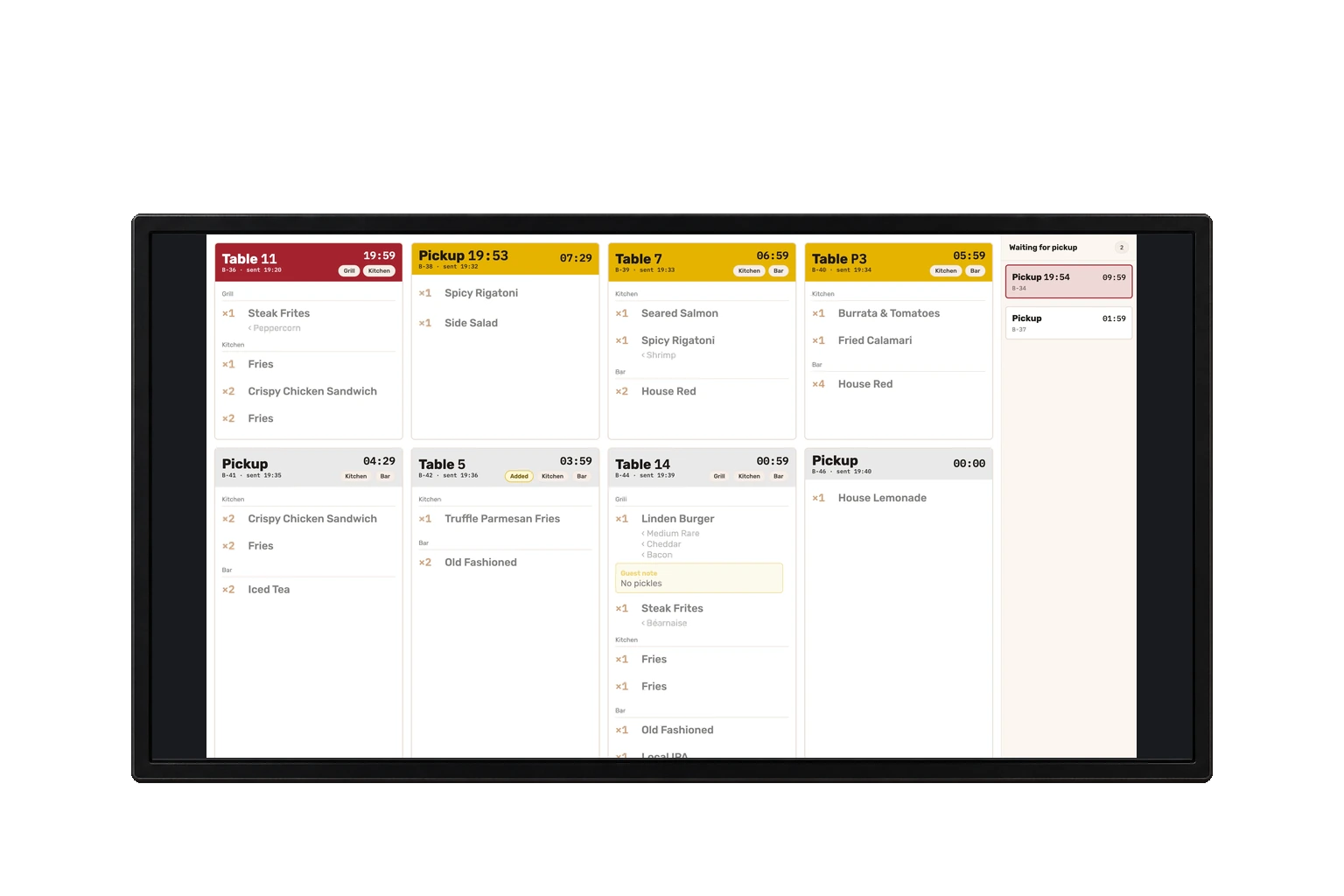
The same queue, read-only: no guest names, no order note and no allergies, with the codes of orders ready for pickup.
Questions we hear
Does each station see only its own?
Every ticket is split into station sections, and each station bumps its own. The queue itself is one for the pass — there is no screen filtered to a single station.
Can a bumped ticket come back?
After a station is bumped, you have eight seconds to undo it. There is no recall screen for older tickets.
Which printer do we need?
An ESC/POS thermal printer, 80 or 58 mm, on the network or by USB to the register PC. A small program on the register PC talks to it.
See Jooule with your own menu.
Explore the register, server app and kitchen display with the dishes you serve.